
🎯 The core idea
Most PoE2 beginner mistakes are not about builds. New players die because their resistances fall behind, they sprint into packs, and they skip the quest rewards and free upgrades the campaign hands out. They lose time because they do every menu by hand. Fix those habits first: check resistances after each act, read every support gem, collect all quest passive points, and learn a handful of shortcuts.
Version note: Written for 0.5.x, reviewed 2026-11-17 — Grinding Gear Games says 1.0 (December 11, free-to-play) adds Acts 5 and 6, rebalances support gems "massively" and gives the passive tree a major makeover. Expect the act-by-act resistance penalty, the total of quest passive points and the league-specific Jeweller's Orb spots below to change; the habits themselves will not.
- free costs nothing
- cheap small cost
- setup needs preparation
- grind pays off slowly
- skip the thing to stop doing
This page collects the things I wish I knew on my first character: the common mistakes that cost new players the most deaths and hours, and the tips and tricks that fix each one. It is built on two long videos: Lolcohol's "50 Things You Didn't Know About Path of Exile 2" (August 2026, filmed in the 0.5 Runes of Aldur league) and MyleSwi's true-beginner walkthrough (January 2026, 0.4). If you have not started yet, read the Path of Exile 2 beginner guide first; this page assumes you already have a character in Act 1. More PoE2 guides live on the Path of Exile 2 hub.
Mistake: ignoring your elemental resistances

free The single most common reason a campaign character suddenly starts dying is resistances. Open the character panel and look at Fire, Cold and Lightning: each one cuts that element's damage by its percentage, up to a default cap of 75% (the wiki lists a hard cap of 90% with extra maximum resistance). The number in brackets is your uncapped value, so you can see how far over the cap you are.
The trap is that the game quietly lowers them. Per the wiki, you take a -10% penalty to all elemental resistances around the end of each act up to Act 4, the Interludes apply further penalties by area level, and by the endgame the total penalty is -60%. A character that felt fine in Act 1 with no resistance gear will have negative resistances later, and negative resistance increases the damage you take.
| Resistance | What to aim for in the campaign | Why |
|---|---|---|
| Fire, Cold, Lightning | As close to 75% as you can, checked after each act | Most boss and caster damage is elemental |
| Chaos | Nice to have, not a priority | The rarest damage type and hard to find on gear |
Rings, amulets, belts and boots are the easiest places to pick up resistance. If you keep dying, open this panel before you blame your build. Our PoE2 defense guide explains armour, evasion and energy shield on top of this.
Mistake: sprinting through packs you have not cleared

skip Holding the dodge roll button (Space by default) after a roll turns it into a sprint. The wiki puts sprint at 50% increased movement speed, but if anything hits you while you sprint you are knocked down as if heavily stunned, with only a short grace period at the start. Getting knocked over in the middle of a pack is how a lot of characters die, especially in hardcore.
Two settings decide how risky this is:
- Options → Game → Movement → Keep Sprinting While Moving keeps you sprinting after you let go of the button. Lolcohol calls it the probable cause of many deaths; leave it off until you are comfortable.
- Options → Input → Dodge Only is a separate keybind that rolls without ever starting a sprint. Bind it (the video's suggestion for hardcore players) so a panic roll cannot turn into a sprint by accident.
Sprint between fights, not into them. A roll, a skill or releasing the button ends the sprint.
Mistake: finishing the campaign with passive points missing

free Not every passive point comes from levelling. Some quests and bosses give extra passive points and other permanent buffs, and it is easy to walk past an optional area that holds one. The wiki counts 24 passive points from quests on top of the 99 from levels in the current game.
Press U to open the world map. Areas with a permanent reward show a small skull icon: one with a plus sign still has a permanent buff to collect, and hovering it tells you what it is; a crossed-out one is done. Click through every act before you leave for the endgame. If your quest point count is short of the full total, go back and check those icons. The PoE2 passive tree guide covers how to spend the points once you have them.
Mistake: walking past the weapon racks in Act 1

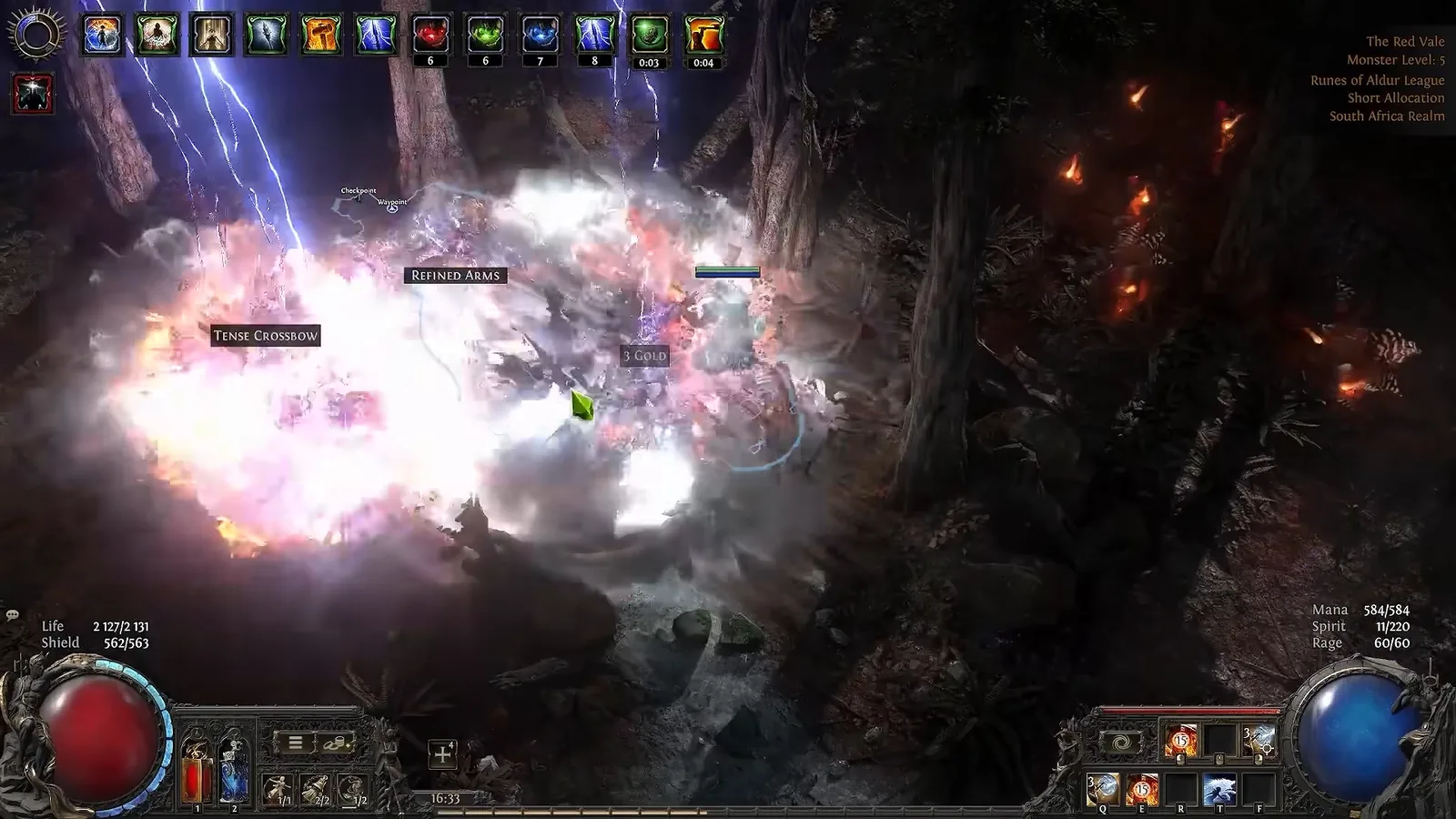
free In The Red Vale in Act 1 you will see weapon racks labelled Refined Arms. Clicking one gives you a weapon of the next tier of martial base type, which can be a big jump in damage for an attack build that is still using its starting weapon. Lolcohol points out these are for martial weapons only, so casters get nothing from them; everyone else should open every rack they pass.
Mistake: missing the free Jeweller's Orbs

free Lesser Jeweller's Orbs add support gem slots to your skills, and an extra slot early is one of the biggest power jumps in the campaign. Lolcohol lists the places that have reliably given one in recent leagues:
- Act 2: the league mechanic in the zones right after Traitor's Passage and Halani Gates (Keth, Valley of the Titans, Mastodon Badlands). In Runes of Aldur the video found the Lesser Jeweller's Orb in Mastodon Badlands, and Valley of the Titans often gave a unique item.
- Act 3: the first zone, Sandswept Marsh. At the far end there is a checkpoint by the Orok Campfire with two rare monsters; the basket right behind them held a Lesser Jeweller's Orb in the video.
- Act 4: the league encounter in Ngakanu, the second-last zone, often gave a Greater Jeweller's Orb in the last two leagues.
These are the video's observations, not fixed rules: the Act 2 and Act 4 spots depend on the league mechanic, which changes with each league and at 1.0. Treat them as places worth a full clear, not guaranteed drops. Our skill gems guide explains what the extra slots are for.
Mistake: never checking vendors after a level up

free Vendor stock partly refreshes every time your character levels up, according to Lolcohol. During the campaign that makes town vendors a real source of upgrades: after a level, open the weapon and armour vendor, scan for anything with your resistances or a better weapon base, and buy it. The video shows a strong weapon upgrade found this way.
A few vendor shortcuts from the same video save clicks: Ctrl+click a vendor to jump to their main window (disenchant for vendors that have it, buy/sell for the rest), Alt+click for the other window, and Ctrl+click the Hooded One or Doryani to identify everything at once. Disenchanting magic items gives Transmutation Shards, and the wiki confirms 10 shards stack into one Orb of Transmutation, so selling junk to a disenchanting vendor is never wasted.
Mistake: playing without a loot filter

setup MyleSwi avoids recommending outside tools to true beginners with one exception: a loot filter. It takes about a minute and goes through the official site, so there is nothing to install.
- Log in at pathofexile.com, scroll to the bottom and open Item Filters, with the game set to Path of Exile 2.
- Follow one of NeverSink's filters: the regular softcore one to start, a stricter one later.
- In game, go to Options → Game → Item Filter, pick the filter you followed and press Save.
When the ground starts to look cluttered again later in the game, come back and follow a stricter tier. The full walkthrough lives in our PoE2 trade guide.
Mistake: equipping support gems without reading them

skip Higher-numbered support gems are not always better. MyleSwi's example is Rapid Attacks: the frame shows Rapid Attacks II at 25% increased attack speed, while the wiki lists Rapid Attacks III at 35% increased attack speed and 50% less damage. Slot III without reading it and your skill hits for half as much. Read every support gem's text, and remember that many supports also raise the skill's mana cost.
Two related rules: you can only put one support of each category on a skill, and support gems are limited by your attributes (the support gem capacity shown at the top of the Skills panel). The "Show Recommended Gems" box in the support gem cutting window keeps the list short with the developers' suggestions; leave it ticked until you know what you want.
Mistake: getting lost in the passive tree

free The tree looks overwhelming because you are looking at all of it. MyleSwi's advice is to zoom in: look at the few nodes next to what you already have and take the notable that fits your weapon or element. The tree's search does the rest.
| Shortcut (from Lolcohol's video) | What it does |
|---|---|
| Ctrl+F, type, Enter | Searches the tree and jumps to the first match; Enter again cycles through matches |
| Ctrl+click a node | Allocates it instantly, no "apply" step |
| Options → Input → quick allocate Strength/Dexterity/Intelligence | Binds a key to pick the attribute on an attribute node |
| Ctrl+Shift+left click / right click | Allocates a weapon set passive point to weapon set 1 / 2 |
| Alt on a notable, then the pin icon | Pins its tooltip so you can compare nodes side by side |
| Refund all passives button | Resets the whole tree for gold (remove your jewels first) |
Holding Alt over underlined keywords in any tooltip (a passive, a skill, an item) opens a plain description of that mechanic. Both videos end on the same advice: read. Most "why did I die" questions are answered in these tooltips.
Mistake: moving stash items one click at a time

setup Ctrl+click moves one item between inventory and stash, but there are faster ways the video shows:
- Ctrl+right click an item moves every item of that type at once, in either direction.
- Stash tab affinities (Stash options → enable tab affinities, then right-click a tab to set its affinity) send currency, gems and other items to the right tab automatically. You can give a normal tab an affinity even without the matching special tab.
- Ctrl+Shift+click ignores affinities and drops the item into the tab you are looking at, handy when you track one farming session's loot.
- Ctrl+Shift+click a stack on a vendor (for example Scrolls of Wisdom) buys a full stack instead of one.
- Ctrl+click the currency exchange vendor to open the exchange straight away, then Ctrl+click and Ctrl+Shift+click items to put them in the "I have" and "I want" boxes.
Mistake: running back through a zone to farm it

free If you want more experience or another go at a rare monster, you do not need to walk anywhere. Leave the zone, then Ctrl+click its entrance or waypoint: the instance manager opens and you can create a new instance, which respawns all monsters and bosses. Lolcohol uses this to farm areas during the campaign; it is also the fastest way to reset a layout you got lost in.
Mistake: dying to bosses you could have dodged

free MyleSwi notes that bosses flash red and make a distinct sound before a powerful attack. When you see or hear it, stop attacking and get ready to roll. Two more campaign facts from the same video change how you approach a hard fight:
- Passing a checkpoint fully heals you and refills your flask charges, and you can teleport between checkpoints in the current zone.
- Dying sends you back to your last checkpoint and revives all monsters in the area, so leave a fight you cannot win and come back with better resistances rather than dying repeatedly.
Flasks also refill at the town well and from kills, so a long fight with adds is easier than one without.
Mistake: leaving the default UI settings

setup A few options in Options → UI make the game much easier to read. Lolcohol recommends:
- Show life/mana levels: prints your exact life, mana and Spirit on the globes. Highly recommended.
- Mini life bar above you: watch your life without looking at the corner.
- Larger, brighter cursor: the mouse default cursor setting stops you losing it in effects.
- Landscape transparency on the minimap: turn it down so the map shows only outlines; the numpad plus and minus resize it.
- Low life warning: turn it off if your build runs on low life on purpose.
He also points out that light radius on gear reveals more of the minimap around you, so it is not a dead modifier in the campaign. Press Z if item labels on the ground ever disappear; it toggles them.
Read next
- Path of Exile 2 beginner guide: the full first-steps overview this page builds on.
- PoE2 best class for beginners: which class and ascendancy forgive mistakes best.
- PoE2 skill gems: uncut gems, supports, Spirit and gem slots in detail.
- PoE2 passive tree: planning, respec costs and weapon set points.
- Path of Exile 2 1.0 release: what changes on December 11.
How this guide was fact-checked
- Sources: Lolcohol, "50 Things You Didn't Know About Path of Exile 2" (August 2026, 0.5 Runes of Aldur), and MyleSwi, "Path of Exile 2 is ACTUALLY Not That Difficult - A True Beginner's guide" (January 2026, 0.4). Every screenshot is a frame from one of these videos.
- Confirmed on the poe2wiki: the 75% default resistance cap and 90% hard cap, the -10% per act penalty up to Act 4 and -60% total by the endgame; sprint's 50% increased movement speed and heavy-stun knockdown; 24 quest passive points plus 99 from levels; Rapid Attacks III at 35% increased attack speed and 50% less damage; 10 Transmutation Shards per Orb of Transmutation.
- Official news (Steam announcements): 1.0 on December 11 with Acts 5 and 6, the support gem rebalance and passive tree makeover, and Runes of Aldur running until 1.0.
- From the videos only (not confirmed elsewhere): vendor stock refreshing on level up, the Jeweller's Orb locations, the boss red-flash cue, the checkpoint healing and every keyboard shortcut. They are shown working on screen, but shortcuts and league-specific drops can change in a patch.
- Corrections: the auto-captions mangle several names; the frames show "Sandswept Marsh" and "Orok Campfire", and the Act 2 and Act 4 zones are Mastodon Badlands and Ngakanu. MyleSwi's video is from 0.4, when the game cost $30 in early access; 1.0 is free-to-play. MyleSwi's Rapid Attacks I figure (15%) is not shown on screen and is left out.
What this guide doesn't answer
- Which build to play: see the class guide above; finished builds wait for the 1.0 patch notes.
- How trading and pricing work: only the loot filter is covered here; trading has its own guide.
- Endgame mistakes (maps, Atlas, bosses): the endgame changes at 1.0, so this page stops at the campaign.
- Crafting and currency use: covered in our PoE2 currency guide.
- Controller shortcuts: the shortcuts listed are keyboard and mouse; controller bindings differ.
Frequently asked
What are the most common PoE2 beginner mistakes?
The ones that cost the most are ignoring elemental resistances (the game lowers them by 10% around the end of each act up to Act 4, -60% in total by the endgame), sprinting into uncleared packs, finishing the campaign with quest passive points missing, equipping support gems without reading them, and playing without a loot filter.
Why do I keep dying in the Path of Exile 2 campaign?
Check your Fire, Cold and Lightning resistances in the character panel first. They cap at 75% by default but drop with each act's penalty, and negative resistance increases the damage you take. Also stop sprinting through packs: any hit while sprinting knocks you down as if heavily stunned.
How do I know if I missed passive points in PoE2?
Press U to open the world map. Areas with a permanent reward show a skull icon: a plus sign means a buff or passive point is still waiting, a crossed-out icon means it is done. The wiki counts 24 passive points from quests in the current game, on top of the 99 from levels.
Is Rapid Attacks III worse than Rapid Attacks II in PoE2?
It can be. Rapid Attacks II gives 25% increased attack speed, while Rapid Attacks III gives 35% increased attack speed but makes the skill deal 50% less damage. Higher-numbered support gems are not automatically better, so read each support before you slot it.
How do I add a loot filter in Path of Exile 2?
Log in at pathofexile.com, open Item Filters at the bottom of the page with the game set to Path of Exile 2, and follow one of NeverSink's filters. In game, go to Options, Game, Item Filter, select the filter and press Save. Switch to a stricter tier later when the ground gets cluttered.
Read next
PoE2 Campaign Guide: Acts 1-4, Interludes and Boss Tips
An act-by-act Path of Exile 2 campaign guide for Acts 1-4 and the three Interludes: the bosses that kill new players, permanent quest rewards worth the detour, and when to swap gems and gear before maps.
PoE2 Trade Guide: Currency Exchange, Price Checks, Filters
How trading works in Path of Exile 2: the Currency Exchange, instant buyout through Merchant's Tabs and The Market, the official trade site and how to price check items without underselling. It also covers setting up a loot filter online and choosing a NeverSink strictness on FilterBlade.
PoE2 Best Class for Beginners: Every Class and Ascendancy
Which Path of Exile 2 class and ascendancy a new player should pick, judged on range, defences, button count and cost rather than ladder popularity. Covers all eight classes, a 0.5 ascendancy tier list and what 1.0 changes.
Path of Exile 2 Beginner Guide: Everything New Players Need
A Path of Exile 2 beginner guide that takes a new character from the league screen through Act 1: which league and mode to pick, how skill gems, Spirit and the passive tree work, how to judge upgrades and stay alive. A version note flags what the 1.0 release on 11 December 2026 changes.