
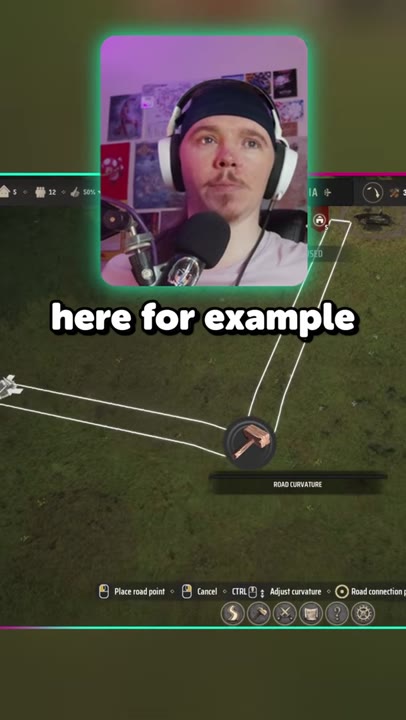
Shape your roads to fit the landscape in Manor Lords by adjusting the curvature setting during placement. You can control how smoothly your roads bend, moving away from rigid straight lines to more natural paths.
Quick answer
| What | Answer |
|---|---|
| Control | Road curvature |
| Use case | Drawing roads |
| Result | Natural curves |
Use road curvature while drawing
Adjusting the road curvature allows you to create flowing, curved roads instead of basic straight lines. Here’s how to use it:
- Open the road placement mode 0:01.
- Available as a slider or setting during placement.
- The line bends naturally as you adjust curvature.
- You can change the setting on the fly before placing the road.

Make roads look more natural
Using the curvature control lets you avoid the typical point-to-point look of straight roads. Instead, you can design routes that fit the landscape or settlement, making your village or town appear more organic and visually appealing.
The amount of curve is fully up to you — increase the setting for softer, sweeping bends, or keep it down for gentle angles. This technique is especially helpful when you want to build beautiful roads that match historic or rural layouts, as opposed to strictly engineered urban grids.

Know what the tip changes
When you first open the road tool, it may seem like roads only run in straight lines between two points. The road curvature setting unlocks the flexibility to shape those routes. Changing the curvature while drawing a road immediately shows its effect: the planned path bends and follows a more natural curve across the terrain.
Even minor changes to curvature can produce visible results, turning rigid roads into meandering paths that suit their surroundings. Adjusting this setting before confirming placement helps you visualize how your settlement will look once construction completes.
Also worth knowing
- Some players prefer roads forming naturally along the terrain. Instead of manually planning every curve, letting roads evolve based on how villagers move can lead to more authentic, historical layouts. Manor Lords does not currently provide automatic, organic road placement, but you can mimic it by following routes around obstacles or landscape features when drawing.
Frequently asked
How do you make roads curve in Manor Lords?
Increase the road curvature while drawing the road. The line will bend naturally instead of staying rigidly straight, and you can adjust the amount of curve on the fly.
Do you have to place roads perfectly straight in Manor Lords?
No. Straight point-to-point roads are not required, and the curvature setting lets you shape routes with more natural-looking bends.
Read next
Manor Lords Castle Building Guide
Learn how to turn a manor into a fortified castle, upgrade parts from wood to stone, and place ramparts correctly. This plan focuses on the new castle planner, material costs, and practical map locations.
Manor Lords Hardest Achievement Guide
A structured route for surviving the hardest achievement run, from the first settlement setup to the final campaign push. It focuses on efficient early economy, approval management, trade, and the military steps needed to clear bands of enemies and claim territory.
Manor Lords Beginner Guide
A beginner guide to surviving, growing, trading, fighting, and expanding in Manor Lords. It is aimed at new players who want a practical order of operations instead of a step-by-step handhold.
Manor Lords Food, Market and Firewood Guide
This guide explains how food is consumed, how markets and granaries interact, and why firewood logistics work differently from food. It is for players who want to keep settlements supplied efficiently without wasting stalls or hauling distance.